Get paid without the spreadsheet
Invoices, payments and instalments sit right next to the bookings. You see who has paid, who owes and how the month is going, without leaving Driago.
- Invoices for packages and extra lessons
- Recurring invoices for instalments
- Reports on revenue and payments
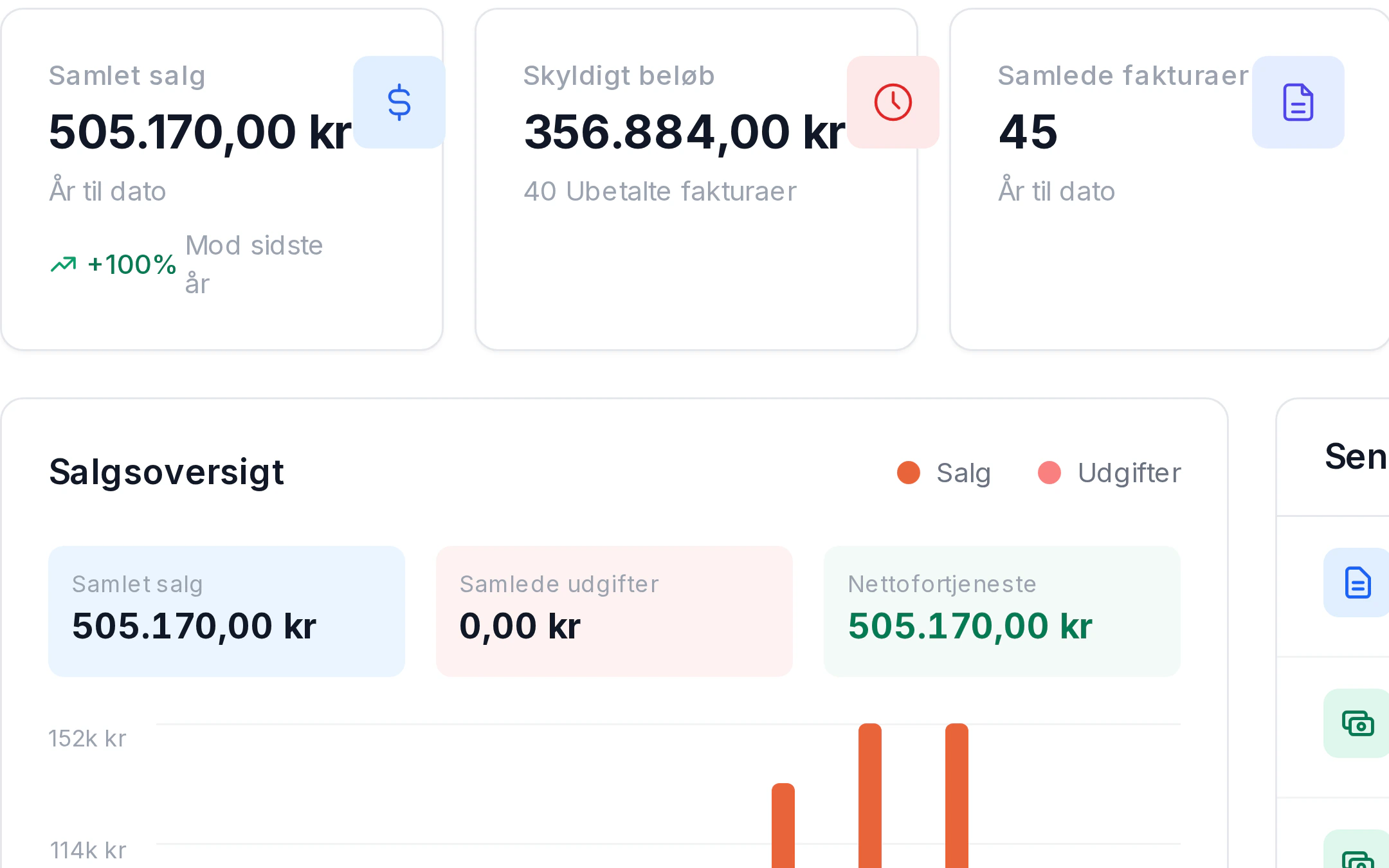
Invoice the package, the extra lessons and the rest
Create an invoice in a minute from your own price list. Split a package into instalments with recurring invoices, and send an estimate before the learner starts.
- A price list with your packages and extras
- Estimates and recurring invoices
- Expenses in the same place
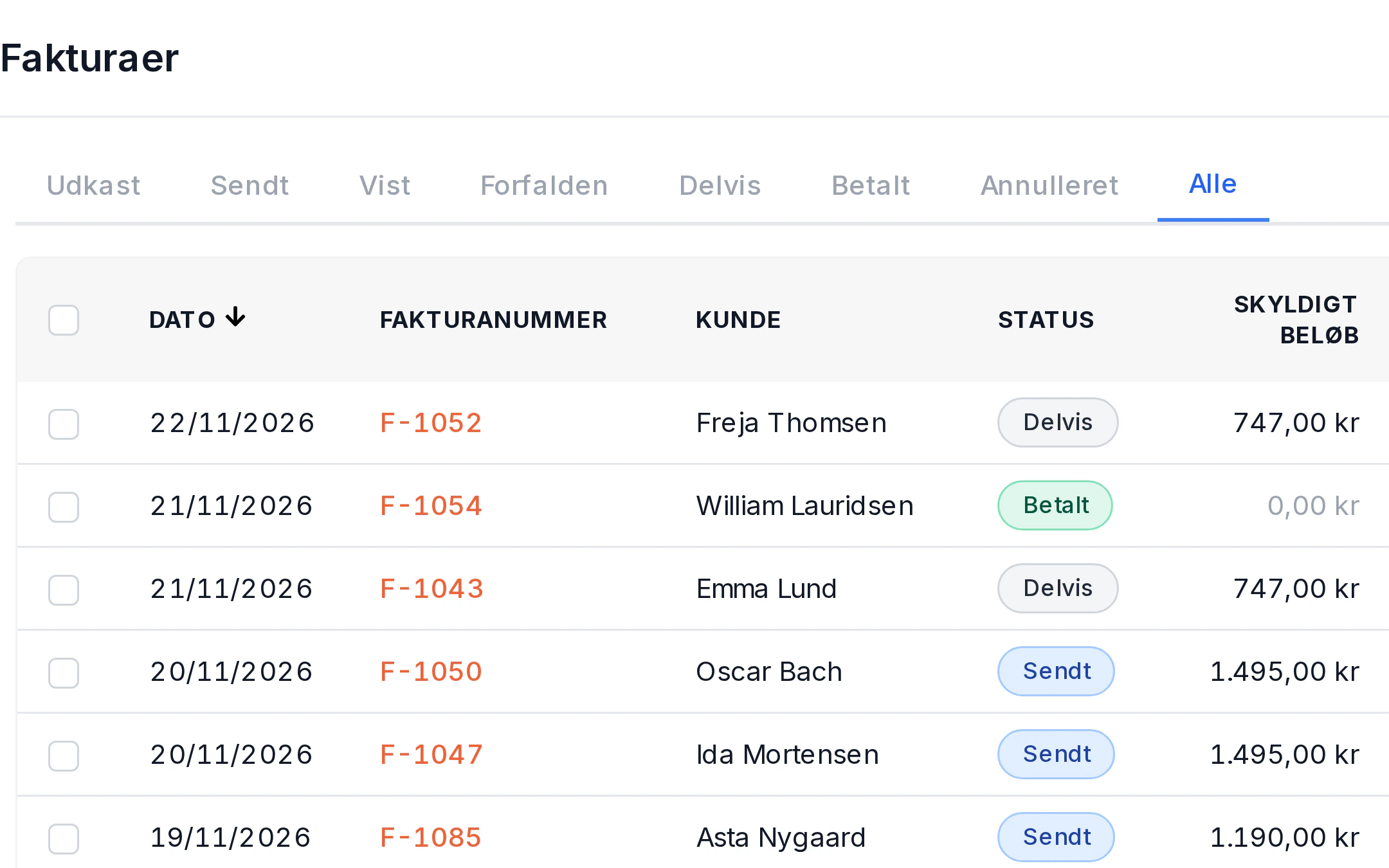
See who has paid, and who hasn't
Every payment belongs to an invoice and a learner. Learners can pay online, and you see what is outstanding before the test is booked.
- Online payment by card or MobilePay
- Outstanding amounts per learner
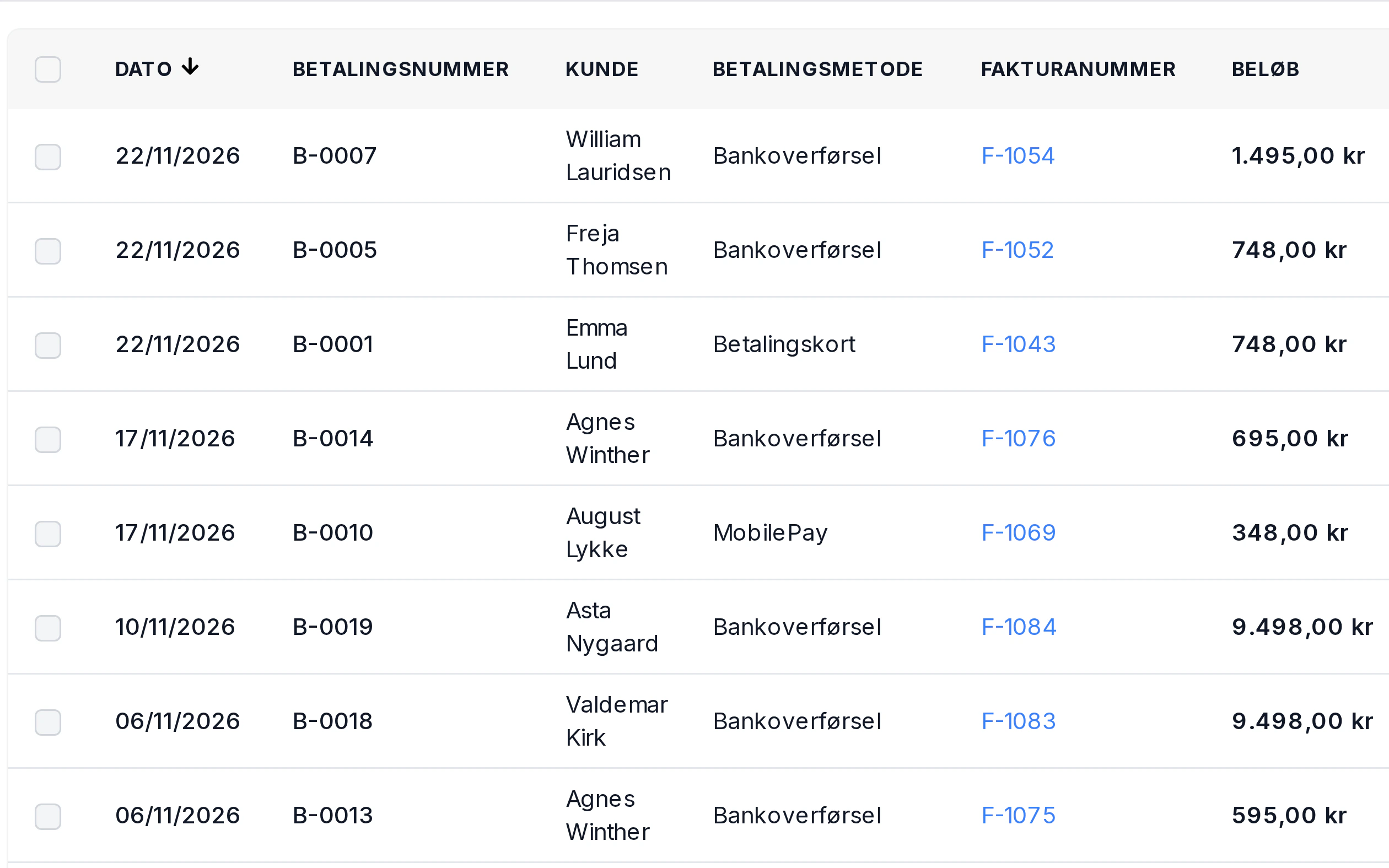
- Payments by date and method
The rest of the economy
The money side of the school, in the same system as the teaching.
Reports
Revenue, invoices and payments over time.
Estimates
Send a price before the learner starts.
Recurring invoices
Instalments that go out on their own.
Customers
Learners, parents or companies who pay.
Expenses
Fuel, cars and rent next to your income.
Packages and extras
Your price list, ready for every invoice.
Questions about the economy tools
Do I have to invoice through Driago?
No. Use it if it helps. Booking, lesson plans and the rest work without it.
Can learners pay in instalments?
Yes. Set up a recurring invoice, and each instalment goes out on its own.
Know where the money is
Book a free demo, and we show you invoices, payments and reports with your own packages.