A booking system built for driving schools
Pick the booking type that matches the appointment, and Driago fills in the rest. The school, each instructor and each learner get their own calendar.
- Open slots learners book themselves
- Repeating bookings for theory classes
- Meeting place, car and lesson modules on the booking
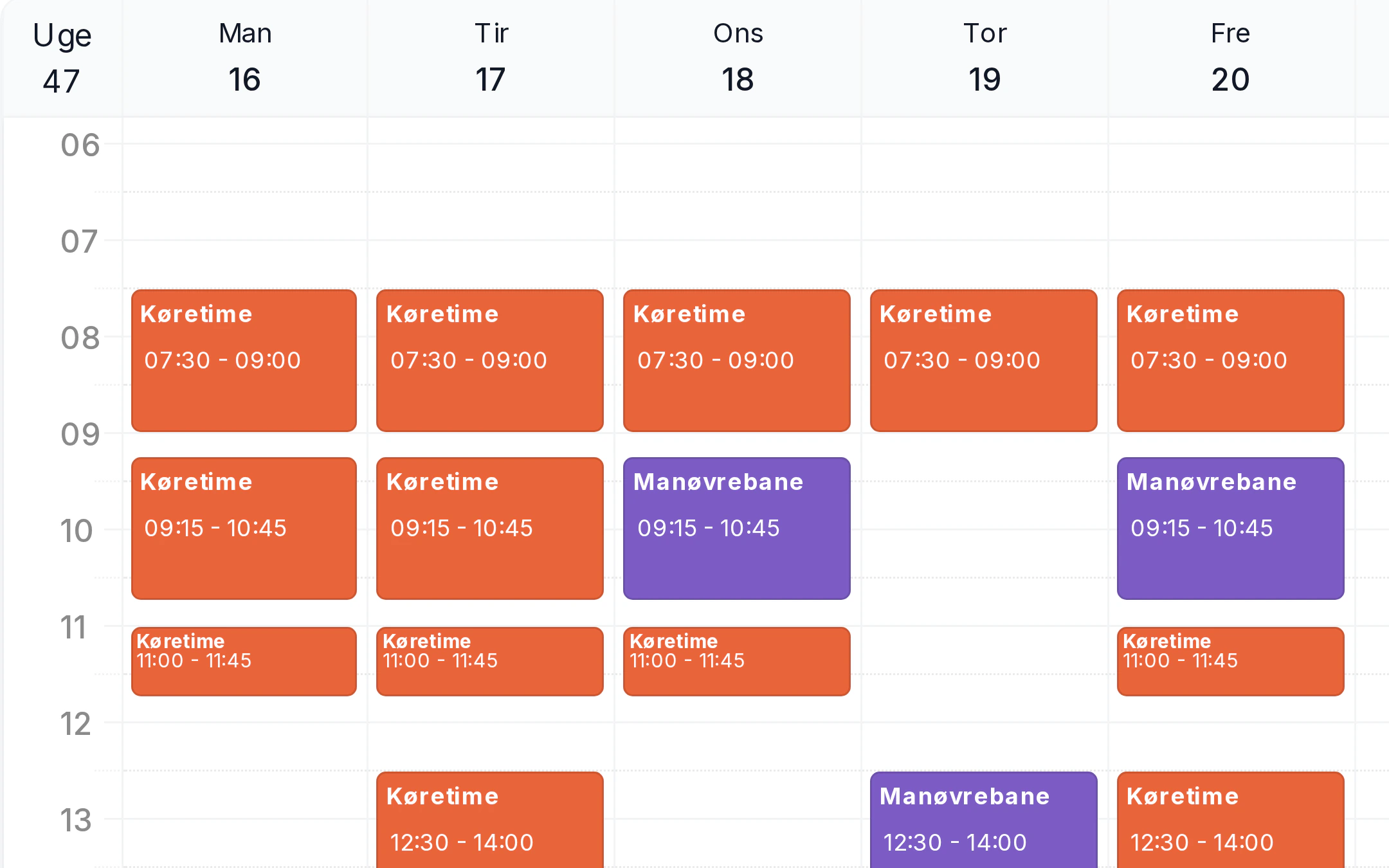
A booking type for every appointment
Each type has its own fields and its own colour in the calendar. Make your own when you need one.
Driving lesson
One learner, a time and a meeting place.
Theory class
The whole class at once, repeated as often as you teach it.
Open slot
Free time learners can book. You decide who, when and how many.
Manoeuvring track and skid pan
Track sessions stand out, so learners turn up in the right place.
Theory test
Date, place and a note on what to bring.
Driving test
The last appointment, with a short note to prepare.
Your own types
First aid, online theory or anything else your school offers.
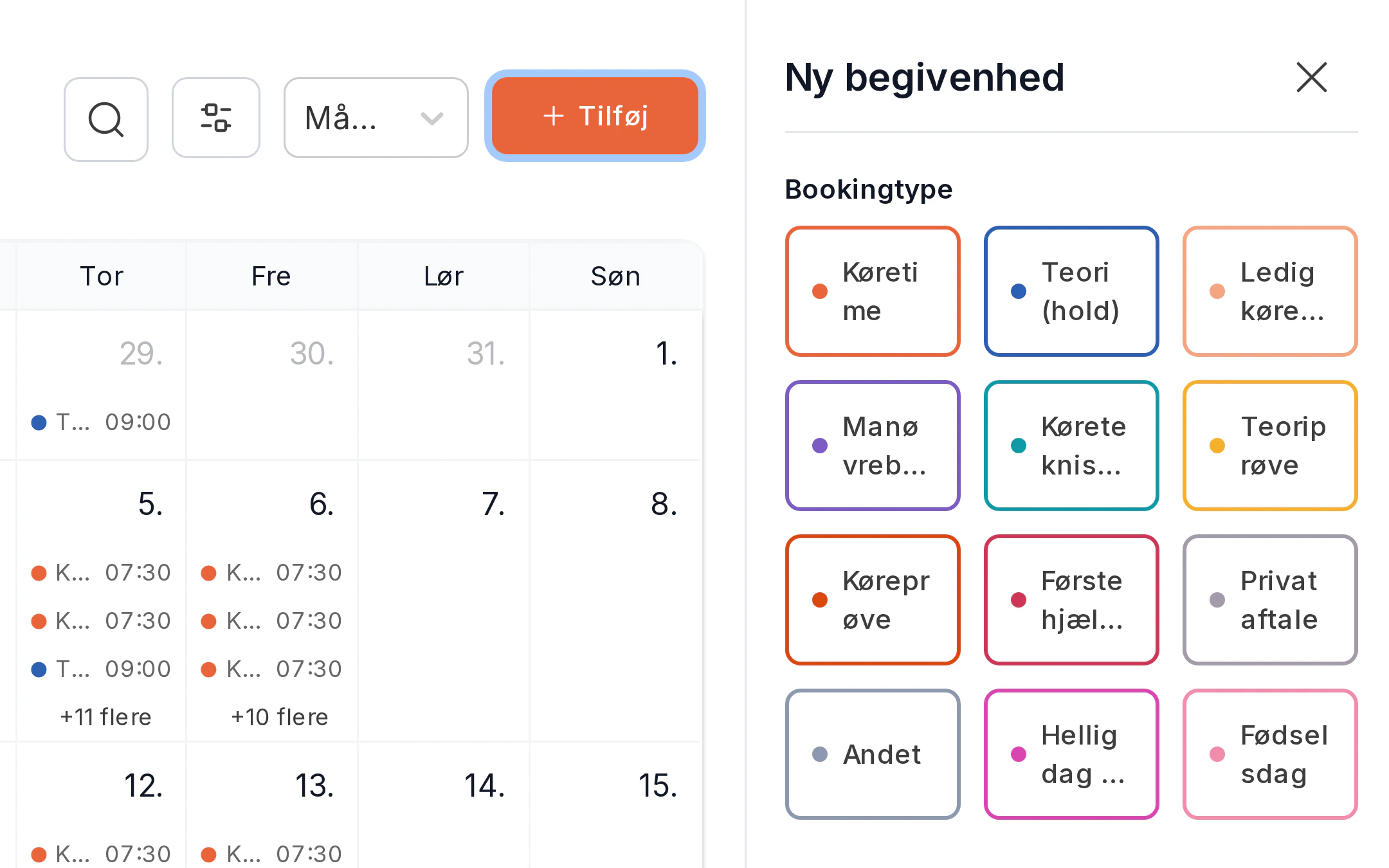
Book from the calendar, the learner or the class
Click a time, pick the booking type and the learner or class. Add the meeting place, the car and the lesson modules you plan to cover. Done.
- Book on behalf of any instructor
- Online theory with a meeting link
- Lesson modules ready to sign afterwards
Let learners fill your free slots
Put open slots in your calendar and let learners book them from their phone, also in the evening. You choose which learners can book and how many fit in each slot.
- Bookable day and night
- No phone calls to agree on a time
- The learner gets a reminder automatically
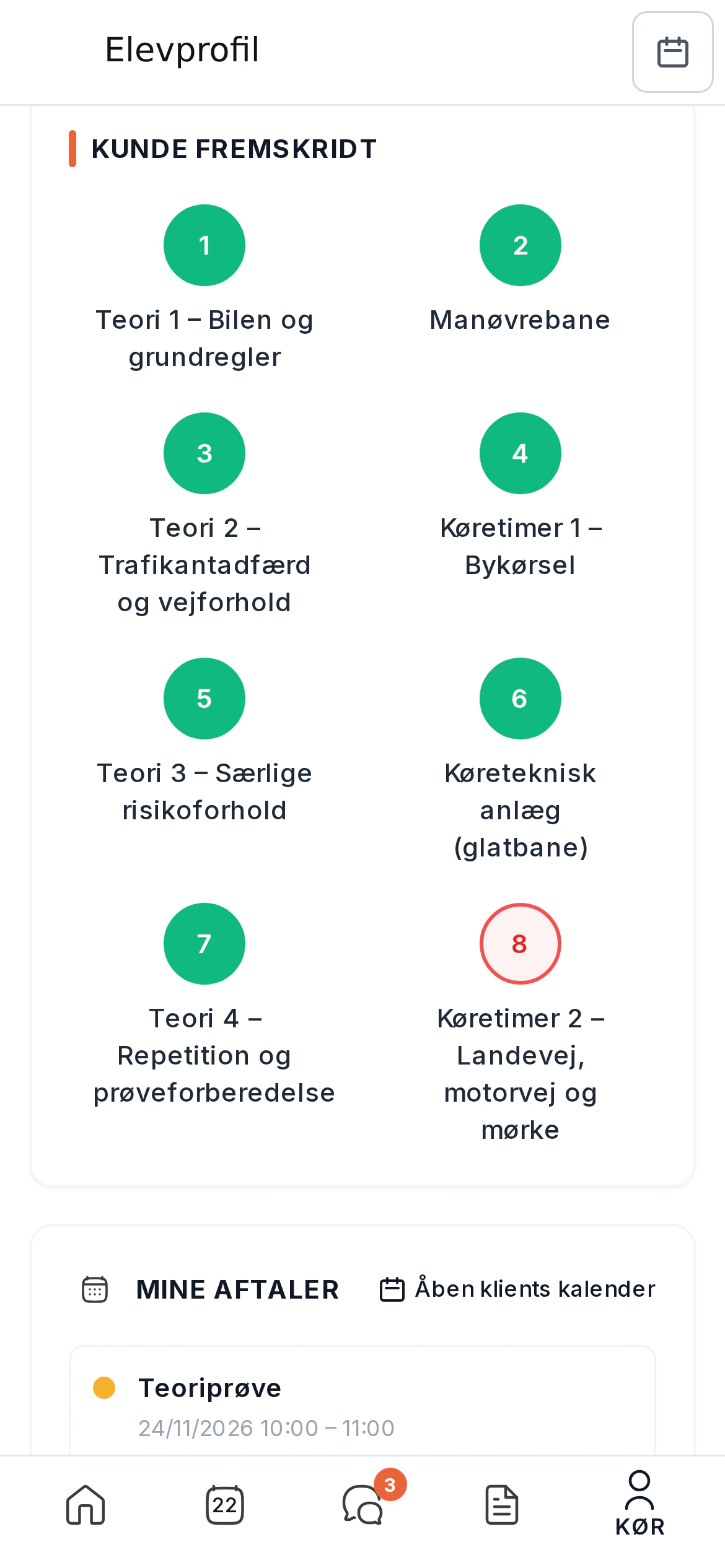
Set up booking the way your school works
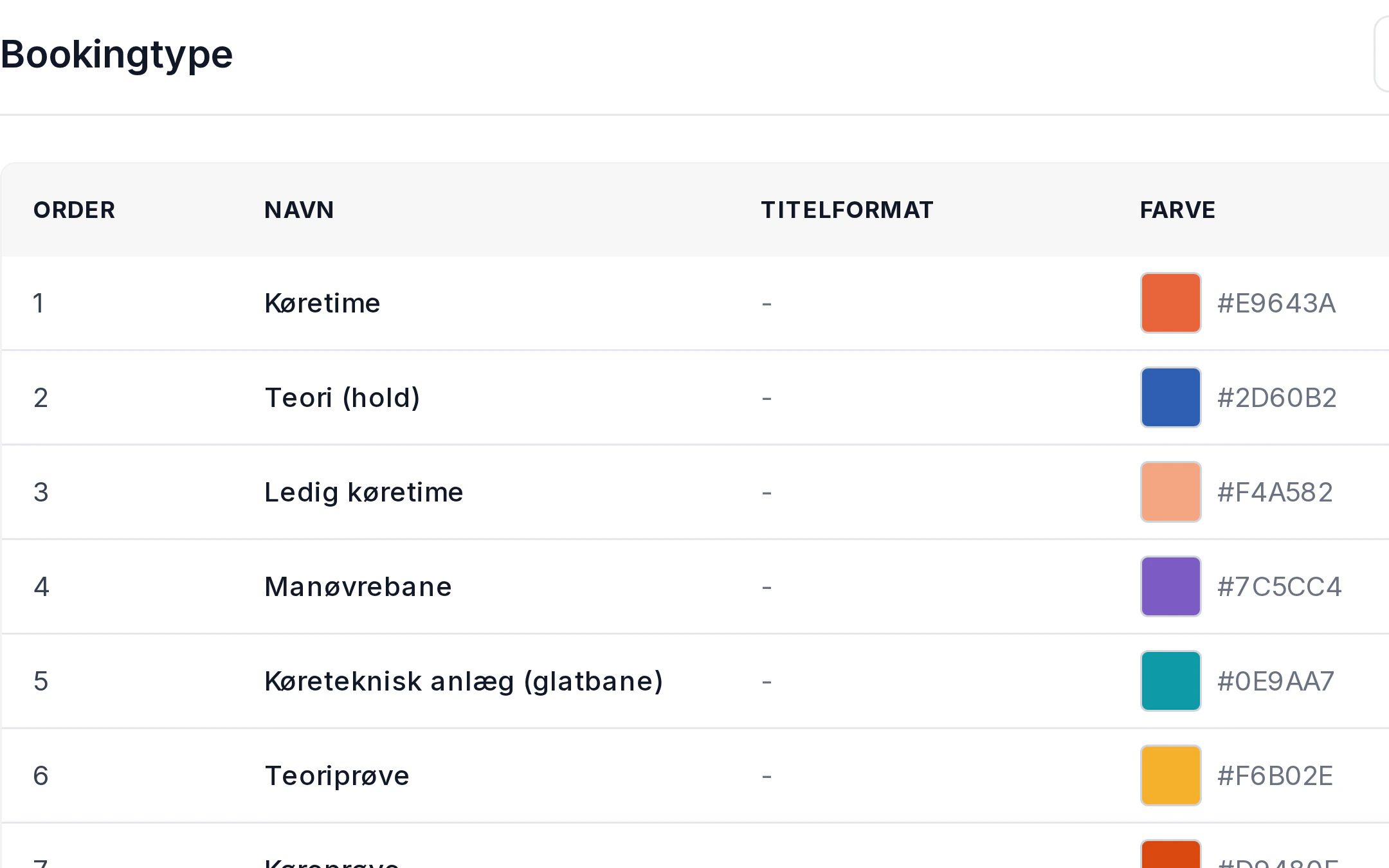
Choose which fields each booking type asks for and give it a colour. Instructors only see what matters for that kind of appointment.
- Required and optional fields per type
- Colours that make the week easy to read
- The same types for every instructor
Questions about booking
Can I see all instructors at once?
Yes. The school calendar shows every instructor. Each instructor also has their own calendar.
Do I have to enter a weekly theory class every week?
No. Create it once as a repeating booking.
Can I book on my phone?
Yes. The calendar works on phone and tablet, so you can book the next lesson before the learner gets out of the car.
Spend less time booking
Book a free demo, and we set up your booking types with you.